
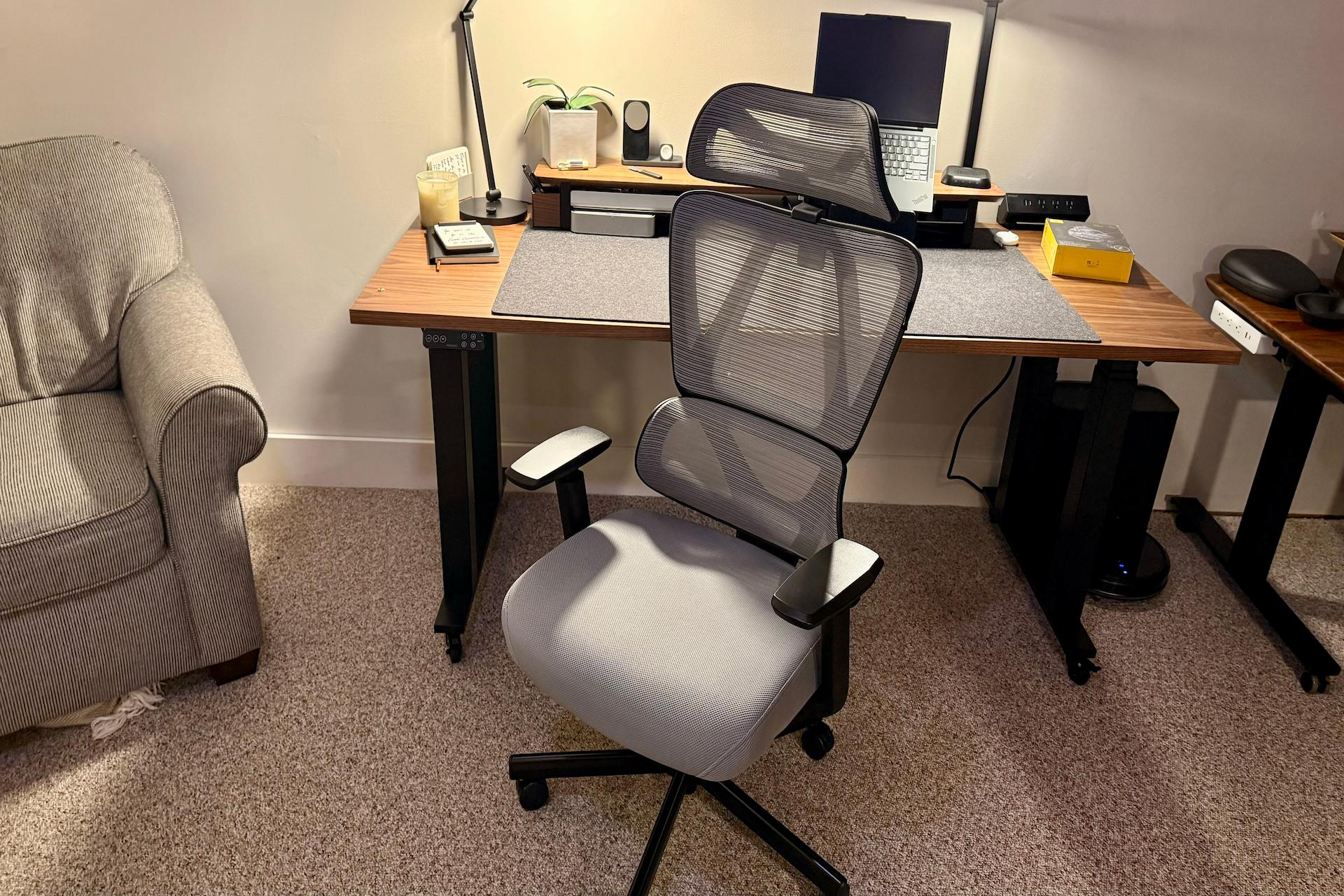
In the UK, working from home has become a long-term reality for millions of people. While remote work offers flexibility, it also underscores the need for a well-designed workspace. A crucial part of that setup is your home office chair. Sitting for hours without appropriate support can lead to discomfort, reduced focus, and even long-term health problems. Making an informed choice about your chair can significantly improve your comfort and well-being during the workday.
A functional chair is not just a piece of furniture; it should support healthy posture and adapt to your work style. Understanding what to look for and how different features affect your body will help you choose a chair that genuinely enhances your home workspace.
Why Choosing the Right Chair Matters
A well-designed home office chair supports your body’s natural posture, helps reduce strain, and encourages movement throughout the day. Many people assume that discomfort is simply part of working at a desk, but poor seating is often the root cause of aches in the back, neck, and shoulders. Choosing a chair with the right combination of adjustability and support lets you work with less strain and greater efficiency.
In practical terms, a good chair can reduce muscle tension and fatigue, improving your ability to concentrate and maintain productivity over long periods. Without these features, even short sessions at your desk can feel uncomfortable and tiring.
Key Features to Consider
When selecting a chair for long hours at your desk, focus on adjustable features and ergonomic design elements that support your body’s alignment.
Adjustable Seat Height and Depth
Adjusting the seat height lets you set the chair so your feet rest flat on the floor and your knees are at a comfortable angle. Seat depth adjustment ensures the chair supports your thighs without cutting off circulation at the back of your knees. These adjustments help maintain your posture, stability and balance.
Lumbar Support
Good lower back support is essential for preventing slouching and strain. Adjustable lumbar support allows you to fine-tune the chair to follow the natural curve of your spine. This alignment is key to reducing discomfort in the lower back and helping you maintain an upright posture.
Tilt and Recline Mechanism
A chair with a reliable tilt mechanism enables you to lean back slightly while working or resting. Dynamic recline supports changes in posture throughout the day, encouraging small movements that reduce stiffness. Lockable tilt positions are useful if you prefer a fixed posture when performing more precise tasks, such as typing or writing.
Multi-Movement Armrests
Armrests that move in multiple directions—height, width, and rotation—can reduce tension in the shoulders and neck by allowing your arms to rest in a natural position relative to your desk. Keeping your forearms level with the desk helps reduce strain on your upper body.
Breathable Materials and Seat Foam
A breathable mesh backrest encourages airflow, which can make long periods of sitting more comfortable by reducing heat build-up. High-quality moulded seat foam that retains its shape over time ensures consistent support without sagging.
Adjustability: The Foundation of Comfort
Adjustability is at the heart of any well-designed chair. Since everyone’s body shape and working style are different, a chair tailored to your individual needs is far more effective than a static design. Being able to adjust multiple components—including seat height, backrest angle, lumbar support, and armrests—lets you create a seating position that works best for you.
Regular movement is also crucial. A chair that allows even small posture changes throughout the day helps keep your muscles engaged and prevents stiffness. For example, a tilt mechanism that encourages subtle rocking or reclining supports these natural shifts without disrupting your workflow.
Practical Setup Tips for Remote Workers
When setting up your workspace, it’s important to align your chair with your desk and screen position:
- Desk height: Your forearms should rest comfortably on the desk surface or keyboard without raising your shoulders.
- Monitor position: The top of your screen should be at eye level to avoid neck strain.
- Foot position: Your feet should be flat on the floor or on a footrest if needed.
Ensuring your chair supports these positions helps you work longer with less discomfort. Using a chair that adapts to these settings supports a more natural alignment, reducing the risk of tension and pain.
Long-Term Health and Productivity
While comfort is often the immediate concern, long-term health implications are equally important. A chair that supports good posture and encourages movement can reduce the risk of repetitive strain injuries and musculoskeletal discomfort over months and years of use.
People often underestimate how much time they spend seated during a working day. Investing in a chair with comprehensive adjustability and ergonomic features means you are better positioned to maintain physical comfort, which in turn supports sustained mental focus and productivity.
Avoiding Common Mistakes
When choosing a home office chair, avoid these frequent pitfalls:
- Overlooking adjustability: A fixed chair might look appealing, but often won’t provide the support needed for extended use.
- Ignoring materials: Chairs with poor padding or non-breathable fabrics can contribute to overheating and discomfort.
- Choosing style over function: A chair that looks good but doesn’t support your posture can lead to discomfort and reduced productivity.
By prioritising functionality over aesthetics alone, you ensure your investment genuinely improves your daily work experience.
Summary
Selecting a comfortable and supportive home office chair is a fundamental part of setting up an effective workspace. Chairs with adjustable height, tilt mechanisms, lumbar support, and breathable materials help maintain healthy posture, reduce discomfort, and support long working days. Compensation through thoughtful setup—matching your chair to your desk and screen position—further enhances comfort.
Understanding these elements helps you make a more informed choice about which chair will best suit your needs. Prioritising adjustability, support, and high-quality materials ensures your chair contributes to both your comfort and productivity day in and day out.